The COSMIC Desktop GUI
improv-cosmic is a second desktop front end, built on
libcosmic, the toolkit the COSMIC
desktop (System76, Pop!_OS) is made of. It is a native COSMIC
application: it takes the desktop's theme, light or dark, and its accent
color, and it opens, saves and prints through the XDG desktop portals.
It works on the same models as improv-gui, the
NeXTSTEP-style workspace, and both stay: pick the one that fits your
desktop.
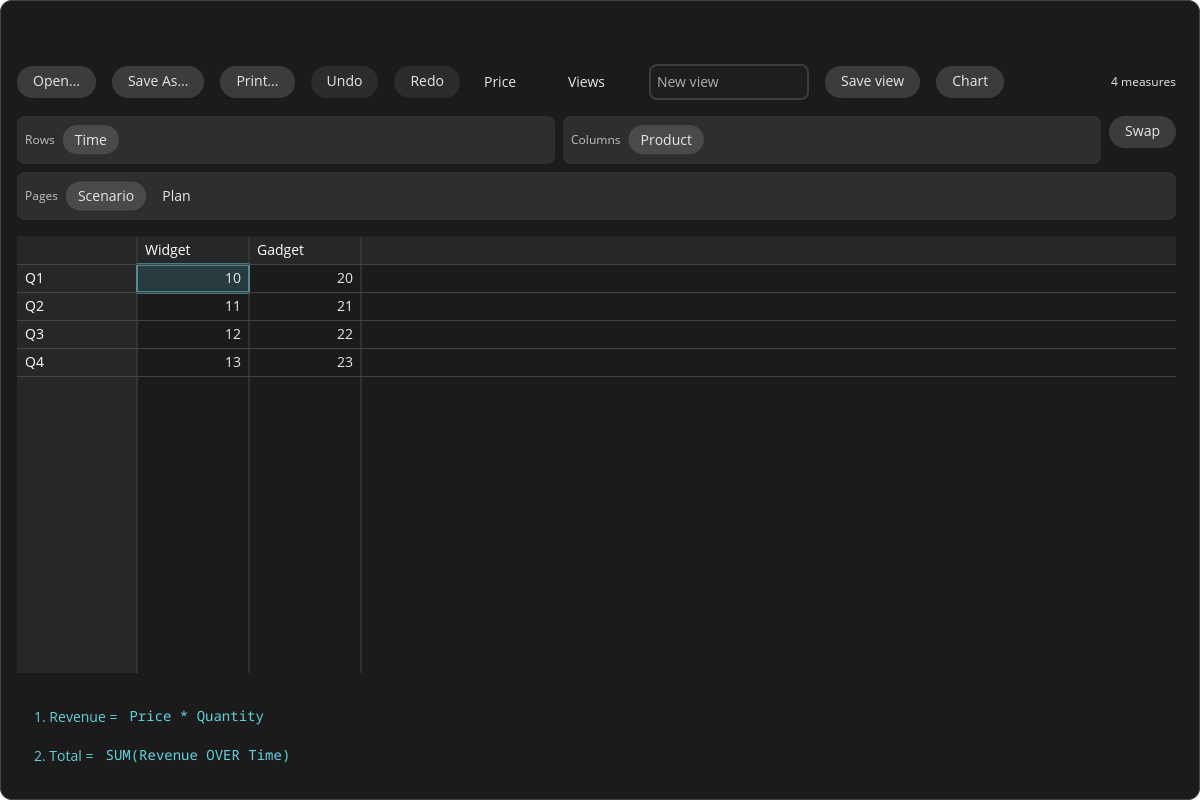
The demo model's Price measure in COSMIC's dark theme: the header bar, the Rows, Columns and Pages strips of category tiles, the grid (the cursor in the accent color), and the formula list.
It is a preview. It covers the everyday work on a model (see
What it does), not yet all of improv-gui; see
Not yet.
Running it
improv-cosmic is its own Cargo workspace, crates/gui_cosmic (libcosmic
pins its own toolkit stack, apart from the egui GUI's). From a checkout:
cd crates/gui_cosmic
cargo run --locked --release -- ../../sample.db
cargo run --locked --release -- 'postgres://me@127.0.0.1/sales?model=plan'
On Linux the build needs libxkbcommon-dev and libwayland-dev (Debian
names). It runs on Wayland (COSMIC's own compositor, or any other) and on
X11. ICED_BACKEND=tiny-skia selects the software renderer, for a machine
with no GPU backend. Without an argument the model is in memory only.
What it does
- The grid. The shown measure (pick it in the header bar's list) as a grid that draws only the cells in view, so a measure of a million cells scrolls as fast as a small one. Arrows, Tab, Page Up and Down, Home and End move; Ctrl+Home and Ctrl+End go to the first and last cell; Shift extends a range.
- Editing. Type on a cell, or press Enter or F2, or double-click it, to
edit it; Enter commits and moves down, Escape cancels, Delete clears. The
text is read by the measure's value type, as everywhere in Improv:
42in a Text measure is text, and text that is not a number in a Number measure is refused with the reason. Derived cells are computed, not entered. - Formulas. Under the grid, every formula in Improv's numbered list,
1. Revenue = Price * Quantity. Click one to edit it. A formula that does not parse stays open with the error located: the text with carets under the wrong part, the message, and a hint (did you mean Quantity?). While a name is typed, the names and functions that complete it appear; Tab or Enter takes the first. - Pivoting. Above the grid, the measure's categories as tiles in three strips: Rows, Columns and Pages. Drag a tile to another strip to pivot; several on one strip stack. A page tile has a list of its items. Swap exchanges rows and columns. No formula changes, only the layout.
- Views. Save view stores the layout under a name; the Views list
opens one. Views are the model's, shared with
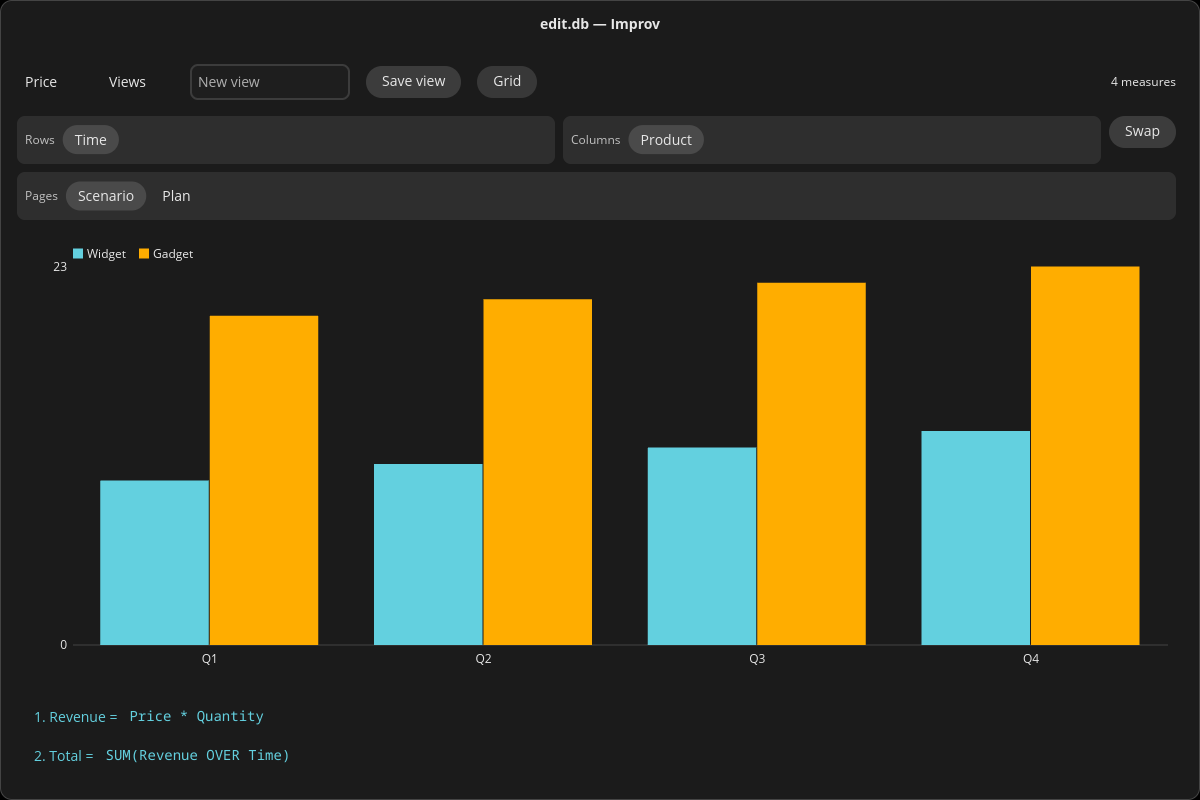
improv-gui, the TUI andimprov save-view. - Charts. Chart shows the measure as grouped bars in its current layout, in the theme's accent and palette colors.
- Copy and paste. Ctrl+C copies the range as tab-separated values and, where the clipboard takes several formats (Wayland), as an HTML table with its headers too, so spreadsheets and editors paste it as a table. Ctrl+V pastes a range from either at the cursor, as one change.
- Open, Save As and Print. Through the desktop's file chooser and print dialog (the XDG portals); on Windows, the native file dialogs, and Print opens the PDF in the default viewer. A model file dropped on the window opens. Every change is saved as it is made, as in the other front ends.
- Undo. Ctrl+Z undoes a cell edit, a paste, a formula or a saved view; Ctrl+Shift+Z or Ctrl+Y redoes.
The model loads, recalculates and saves on a thread of its own: the window keeps drawing while a large model opens or a formula rebuilds the engine.
Platforms
| Platform | Status |
|---|---|
| Linux (Wayland, X11) | Builds and runs. |
| FreeBSD | Builds and runs (X11). |
| illumos (Solnix) | Builds with Solnix's own COSMIC fixups (crates/gui_cosmic/ci/solnix-build.sh); runs in a Solnix COSMIC session with ICED_BACKEND=tiny-skia. |
| Windows 11 (x64, arm64) | Builds and starts. Known limitation: no accessibility on Windows yet. Release blockers for a Windows release, waiting on libcosmic: copying ranges as more than plain text, and drag and drop with other applications. |
Not yet
What improv-gui has and improv-cosmic does not, yet: several matrices
on one canvas, filters, the CSV import wizard, number formats, scenarios,
named LAMBDAs, adding and deleting categories, items and measures, the
function browser, and live refresh of a Postgres model another writer
changes. The grid is drawn on a canvas, so a screen reader sees the header
bar and the formula list but not the cells yet.
See also
improv-cosmic(1), and the design
note docs/reviews/2026-11-02-cosmic-gui.md (the stack, the pins, the
platform matrix and the plan).